LinkedIn Content Automation Tools: How to Choose the Right One
A practical guide to comparing LinkedIn content automation tools for research, drafting, scheduling and publishing - plus a first-week trial you can run before you pay for anything.
You have something useful to say on LinkedIn. Finding the time to research it, write it clearly, and publish it every week is the harder part.
That is where LinkedIn content automation tools can help. The right choice depends on where your process gets stuck: finding relevant topics, turning expertise into posts, or getting finished content published.
Before paying for a tool, identify the work you want it to take over. Then test whether its output is something you would actually put your name on.
This guide explains what to compare, how to run a practical trial, and where Buzzli fits. It is published by Buzzli and draws on public product information, rather than a hands-on ranking of every platform.
What do LinkedIn content automation tools do?
They help with parts of the content process, including idea generation, drafting, editing, scheduling, and publishing. Some also research topics on a recurring schedule.
Different products combine these capabilities differently. A tool that gives you a good first draft may still leave you to find the source material. A scheduler can publish a finished post, but you may still need help deciding what to write.
For this guide, "automation" means producing and publishing content. If your goal is automated prospecting or connection requests, you are evaluating a different workflow.
Start with the job you need done
| Your main difficulty | Capability to prioritize | What to test |
|---|---|---|
| "I have ideas but struggle to write them." | AI drafting and editing | Can it preserve your point while improving the structure? |
| "I keep running out of relevant topics." | Research and topic discovery | Are the suggestions useful to your specific audience? |
| "My drafts never get published." | Scheduling and publishing | Can you review a post and reliably put it on the calendar? |
| "I manage several social channels." | Cross-platform publishing | Can you adapt content for each channel without rebuilding it? |
| "I want recurring research and drafts." | A configurable content agent | Can you set topics and receive useful output on a schedule? |
For example, a consultant who records useful observations after client calls may mainly need a writing tool. A founder commenting on developments in a fast-moving industry may also need help finding and reviewing source material.
Those are different buying decisions, even if both people search for an AI LinkedIn post generator.
Options worth evaluating for different workflows
Buzzli: recurring research and LinkedIn drafting
Buzzli's Research Agent lets you configure topics, sources, writing preferences, and a schedule. It researches and creates posts, with options for email notification and direct LinkedIn posting. That makes it relevant when gathering material is part of your weekly bottleneck. Explore the Research Agent.
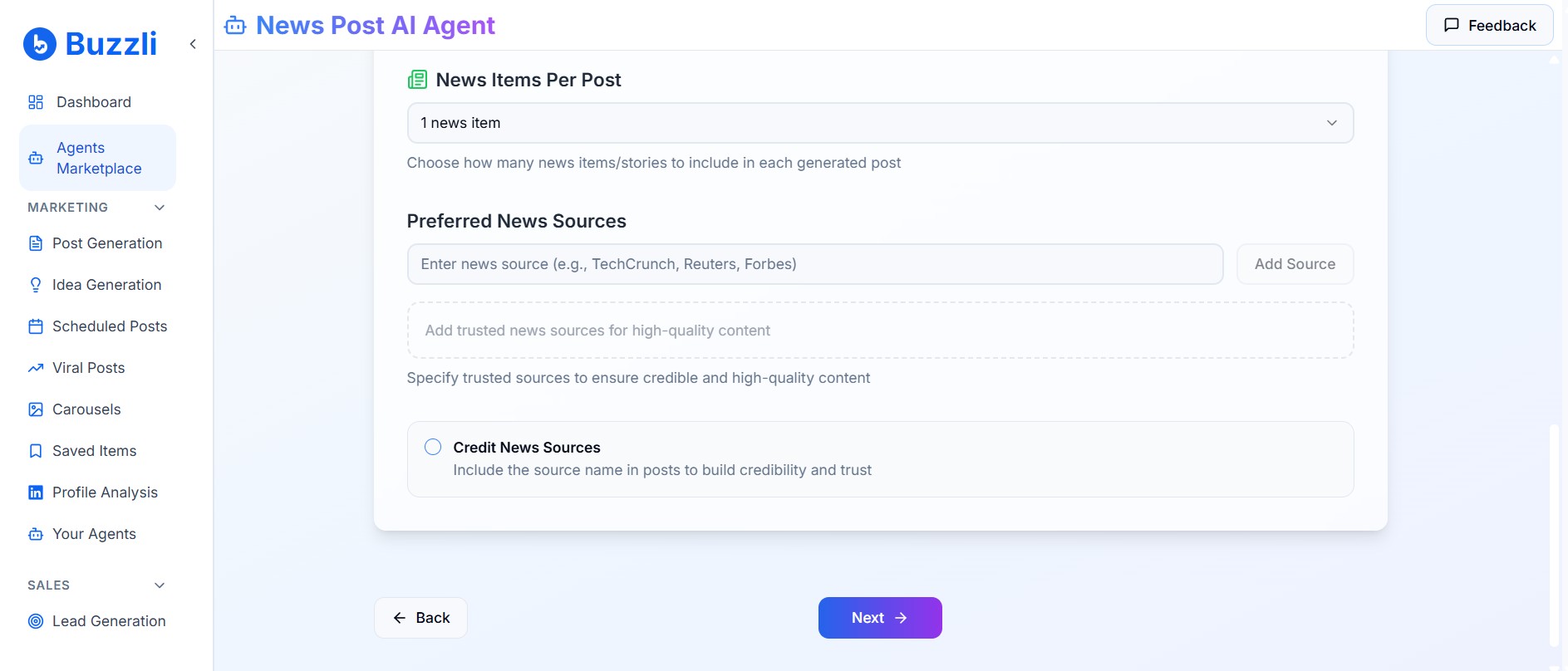
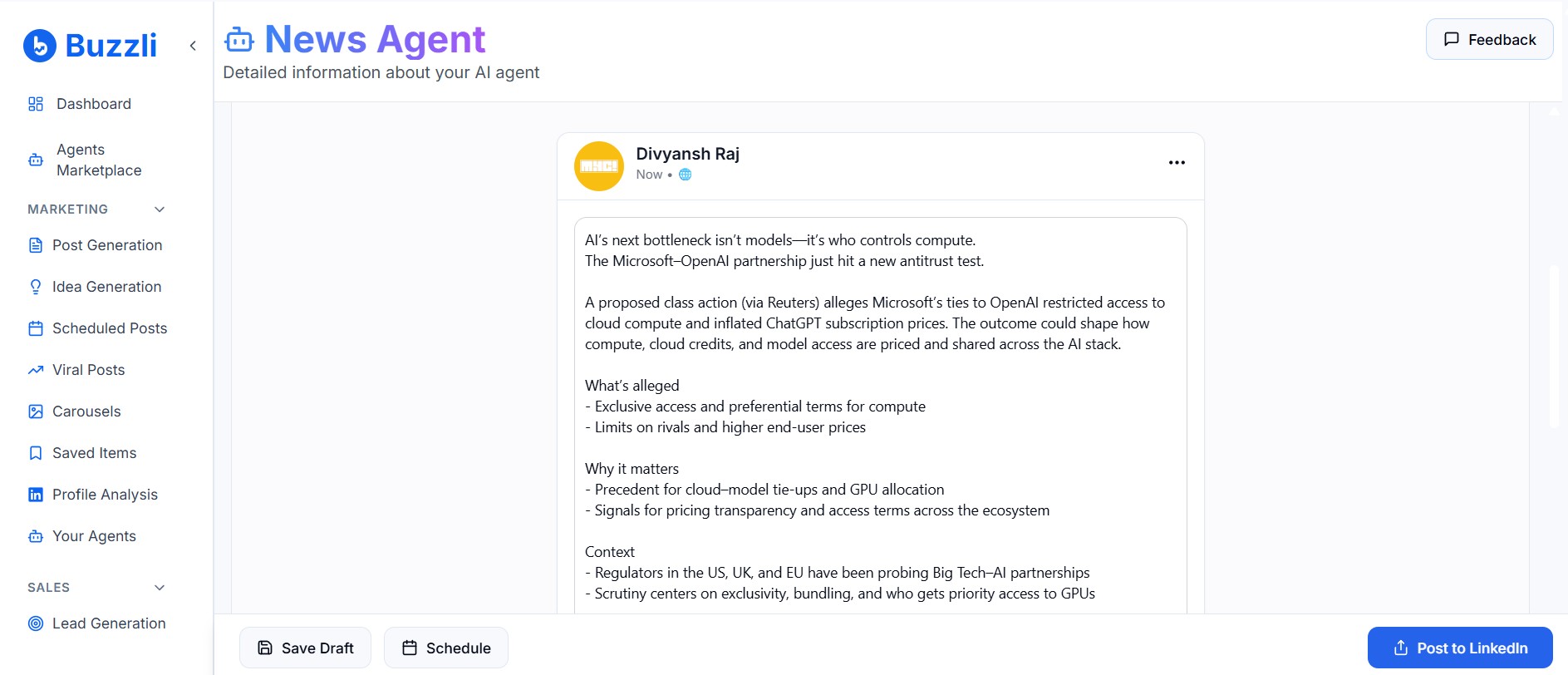
If you already have an idea, Buzzli's LinkedIn Post Generator supports drafting, customization, review, and posting or scheduling. Try the post generator.
Add a screenshot of the LinkedIn Post Generator draft-and-schedule view here.
Suggested alt text: "Buzzli LinkedIn Post Generator showing a draft post with scheduling options."
Buffer: publishing across channels
Buffer offers LinkedIn scheduling, AI assistance, and analytics, alongside support for other social platforms. Consider it if coordinating a broader social calendar is central to your work. During evaluation, check the capabilities available for your account type and plan. See Buffer's LinkedIn features.
Typefully: writing and cross-posting
Typefully combines AI writing assistance with scheduling and cross-posting to channels including LinkedIn, X, Threads, and Bluesky. It is another option to evaluate when you want to develop an idea and distribute it across several channels. See Typefully's LinkedIn features.
These are starting points for a shortlist. Match the trial to your own workload before choosing.
Five things to test before choosing a tool
1. Does it understand a specific audience?
"Write about leadership" leaves too much open to interpretation.
Try a more useful brief:
Write for founders hiring their first sales manager. Explain why a strong individual salesperson may struggle as a manager. Use a practical, measured tone. Do not invent an anecdote or statistics.
Check whether the draft addresses that decision. If it falls back on broad advice about communication and teamwork, you still have substantial writing to do.
2. Can you verify the research?
When testing a research feature, inspect the underlying sources. Does the source support the claim? Is its date relevant? Has a prediction been presented as an established fact?
Read beyond the headline. A statistic about one market should not become a claim about an entire industry.
Source discovery is useful only if the material supports a post you can defend.
3. How much editing does each draft need?
Measure the time from your initial brief to an acceptable post. Include fact-checking and rewriting.
A polished draft can still miss your point. Ask whether it contains a clear argument, a concrete example, and language you would use in a conversation with a client or colleague.
Supply your own experience where it matters. A tool should not invent the project you delivered, the conversation you had, or the result you achieved.
4. How much publishing control do you have?
During a trial, test the whole sequence: create a draft, review it, schedule it, and check the published result.
Ask how edits, cancellations, failed posts, and account reconnections work. If other people approve your content, verify that the product supports the process you need before committing.
Start with review before publication. Once you understand the output, you can decide which repeatable content is suitable for greater automation.
5. What does your actual workload cost?
Compare the cost of the work you intend to produce. Include drafts you reject, image generation, research runs, and any additional accounts.
Buzzli uses credit-based plans, with the Personal Branding Agent charged separately. Check the current plans and credit requirements for your intended workflow. View Buzzli pricing.
For your own comparison, divide trial spending by the number of posts you are willing to publish. Record editing time beside that figure. This gives you a more useful decision than comparing headline prices alone.
A practical first-week trial
Choose three real topics you would want to publish even if AI tools did not exist:
- A recurring question from your customers or colleagues.
- A lesson from your own work.
- A recent development you can explain for your audience.
Use the same topics when testing shortlisted tools. Give each the context it needs, then record whether the draft is relevant, accurate, and recognizably yours.
For the news-based post, add your interpretation. What should the reader do differently because of this development? A summary alone may not explain why they should care.
Finally, review whether you completed the week with less effort. More generated text is not a useful result if you are still postponing publication.
Is Buzzli right for your LinkedIn workflow?
Put Buzzli on your shortlist if LinkedIn is your main focus and you want help developing ideas into posts. Start with the Post Generator when you have the material; explore the Research Agent when you want recurring research and drafting.
If your main requirement is managing several social networks or a complex approval process, compare those requirements explicitly across products.
Your first goal should be modest: create one useful post that represents your expertise, then make that process repeatable.
Explore Buzzli's Research Agent or start with the LinkedIn Post Generator.
Frequently asked questions
Can I automate LinkedIn posts and still review them?
Yes, if the tool supports a review-first workflow. Buzzli's Research Agent describes email delivery as well as optional direct posting. Choose the settings that give you the control you need, and test them before relying on automation.
How is an AI post generator different from a content agent?
A post generator typically responds to an idea or brief when you use it. A content agent can perform a configured sequence on a recurring basis. Product labels vary, so check exactly what starts the workflow and what you receive.
Will automation generate leads for me?
Publishing more consistently does not guarantee leads. Your topics, expertise, offer, profile, and conversations all influence whether readers take the next step. Evaluate the content process first, then measure whether the audience you want is responding.
What should I keep doing myself?
Own your point of view, verify claims, contribute real examples, and respond thoughtfully to people. Use automation to reduce the work around those decisions.