How to Build Your First AI Agent for LinkedIn (Step-by-Step Guide)
Learn how to create your first AI agent for LinkedIn that researches topics, creates content, and posts automatically. Save 3-5 hours per week.
💡 What Is an AI Agent for LinkedIn?
An AI Agent for LinkedIn helps creators, founders, and marketing teams automate content creation - from idea generation to publishing. It researches, writes, and even schedules posts for you, saving hours every week.
AI agents are here, and they are automating mundane tasks - even the creative ones. That's why we at Buzzli launched our first AI agent for LinkedIn that doesn't just create content, but also posts it directly to LinkedIn (if you give it permission to do so).
⚙️ What Does Buzzli's "News Post Agent" Do?
Buzzli's News Post Agent scans the internet for the latest updates on topics you choose - like OpenAI launches, LinkedIn algorithm news, or AI in marketing.
It then:
- Reads and summarizes credible sources
- Creates a LinkedIn-ready post with hooks, structure, and hashtags
- Notifies you when the post is ready (or auto-publishes if you allow)
🟣 Quick Take: Save 3–5 hours per week and stay visible even when you're busy.
🪄 How to Build Your First AI Agent (Step-by-Step)
Here is a complete step-by-step guide to building your first AI agent for LinkedIn:
Step 1: Log into Buzzli and Open the Agents Marketplace
Log into Buzzli.io and navigate to the Agents Marketplace from your dashboard.
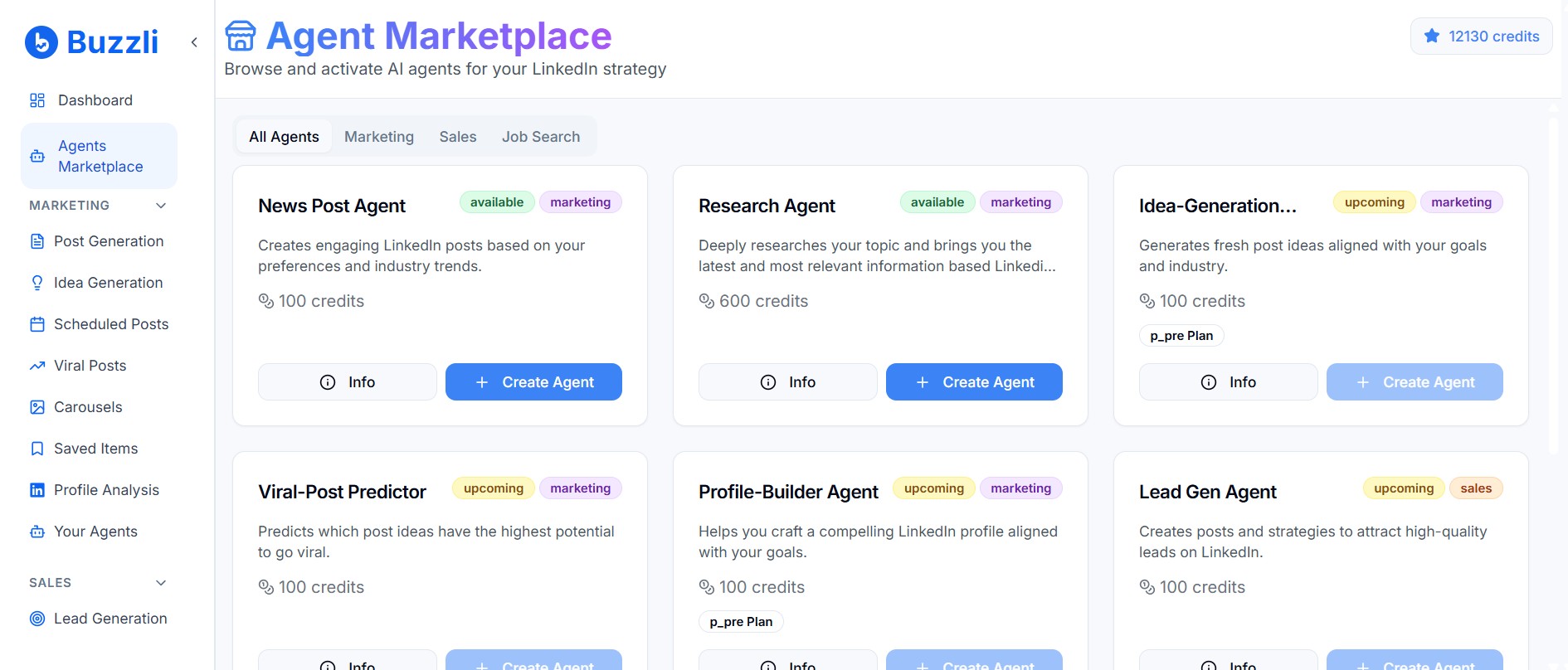
Step 2: Select the "News Post Agent"
Choose the "News Post Agent" from the available AI agents and create it.
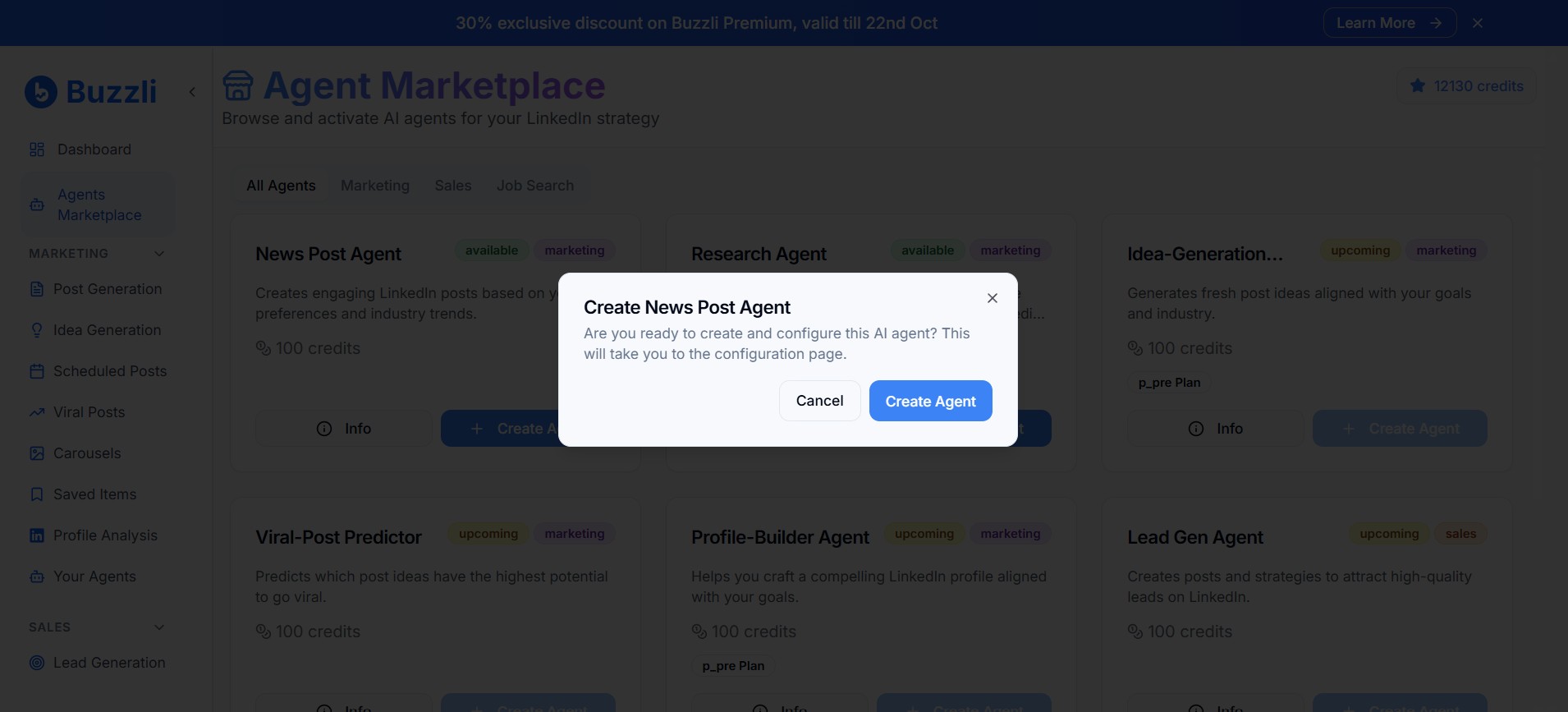
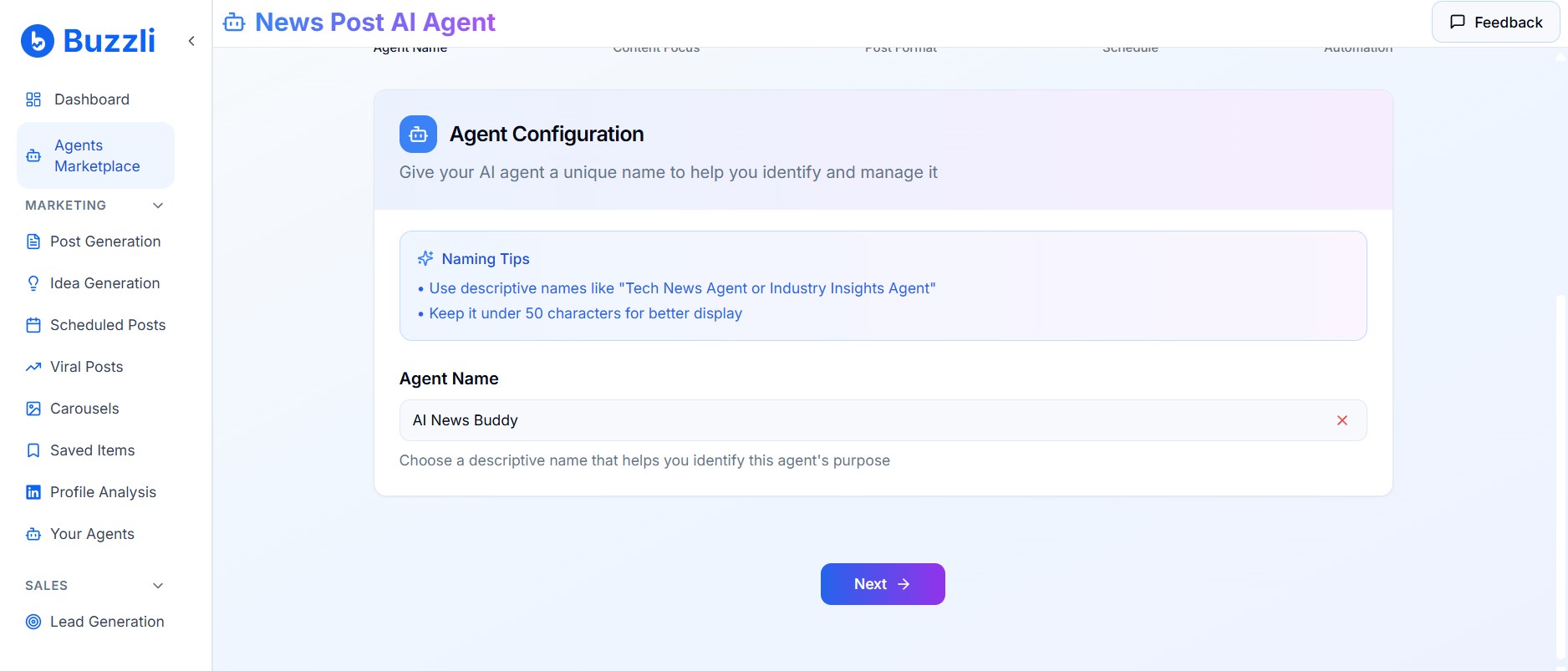
Step 3: Name Your AI Agent
Give your agent a descriptive name. For example – "AI News Buddy" or "Tech News Creator".
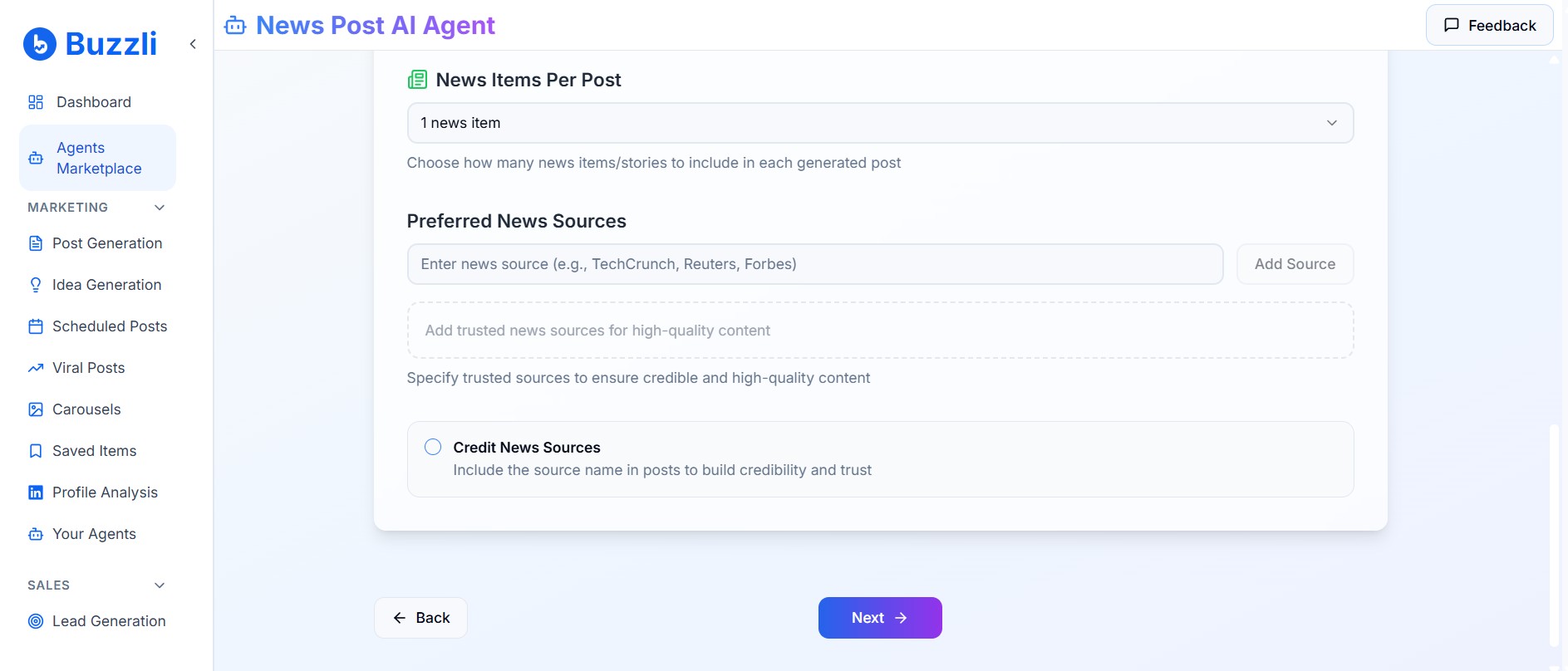
Step 4: Add Your Topics of Interest
Now enter your topics of interest. You can choose to enter multiple topics (recommended: 2-3 focused topics for better accuracy).
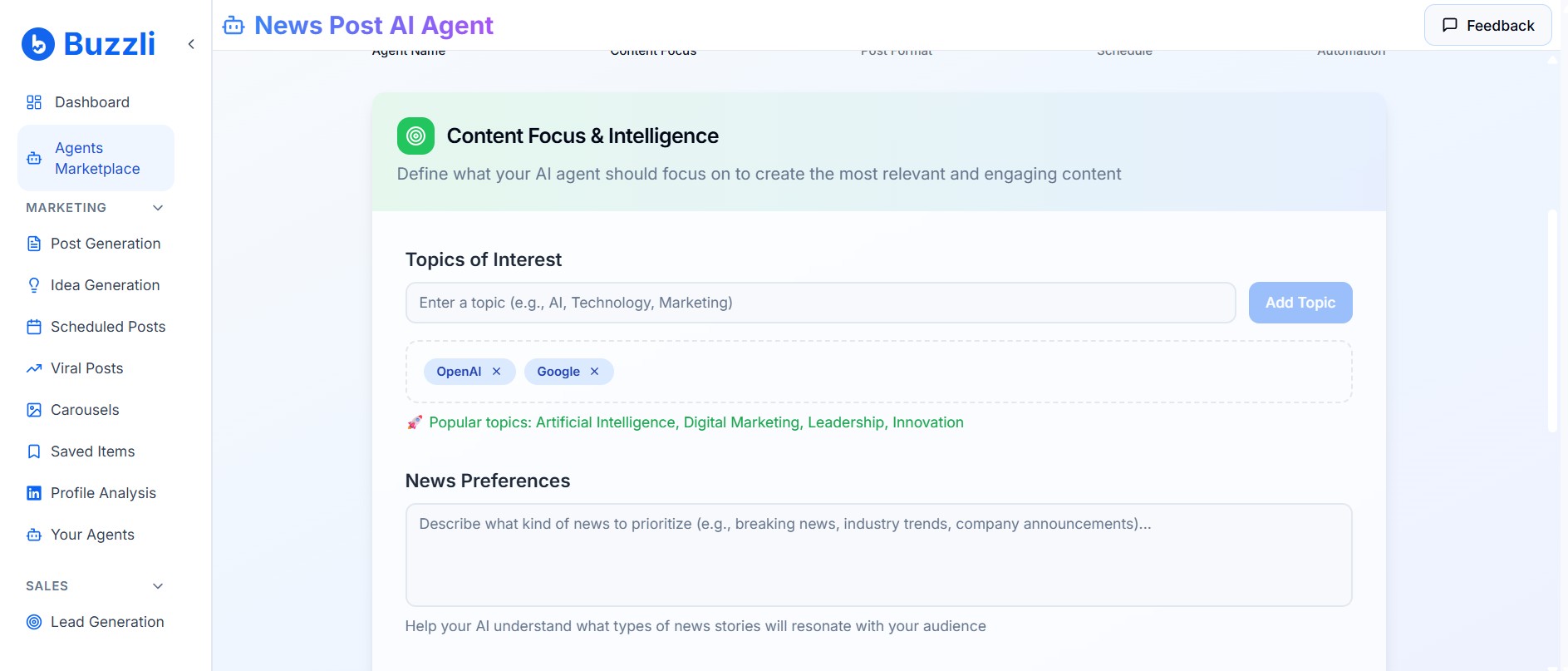
Example: I will choose "OpenAI" and "Google" as my topics of interest and add them.
You can choose to add other optional details like preferred news sources or news preferences, etc.
But for simplicity, I will leave them empty.
Step 5: Choose Your Post Format
Next, you need to select the post format. Options include: Text only, Text + Image, Carousel only, or Carousel + Text.
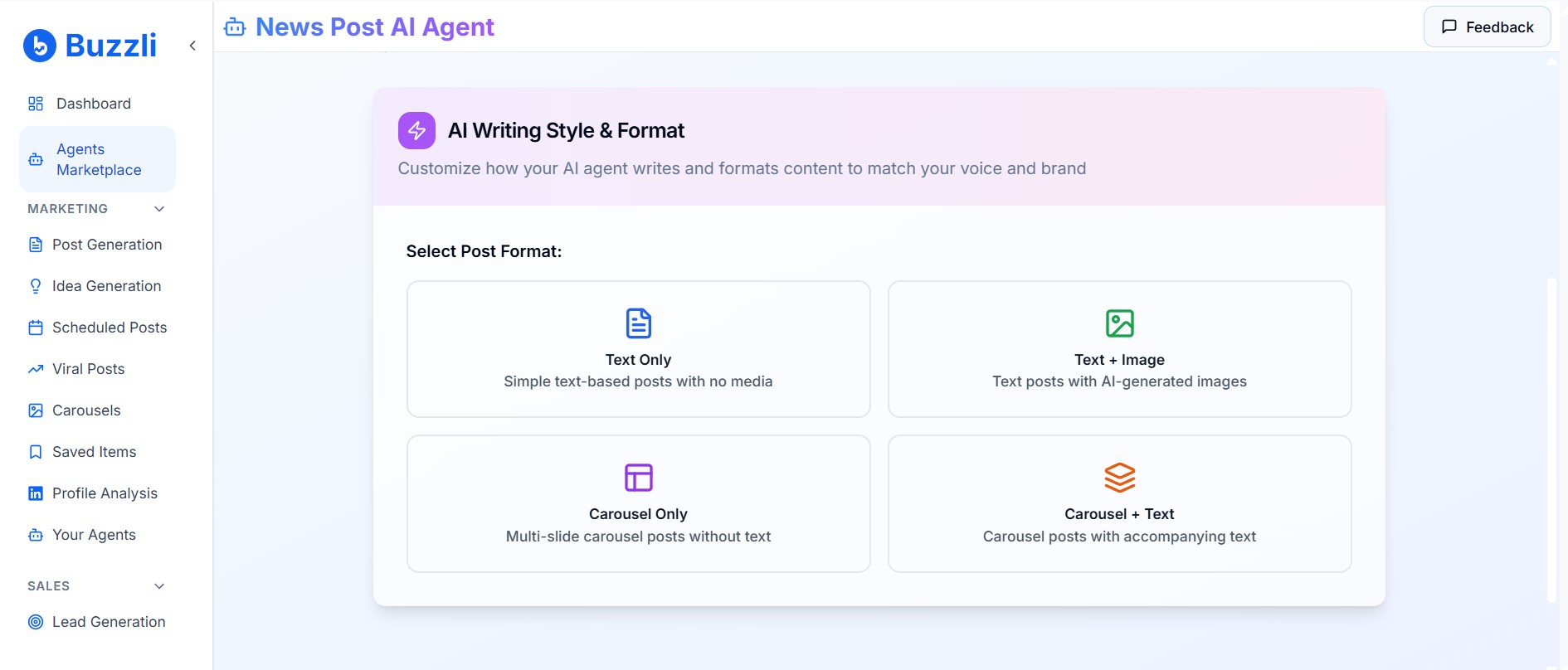
The Carousel + Text option will give you a properly designed carousel with content along with a caption to go with it.
I will select the Text only option here.
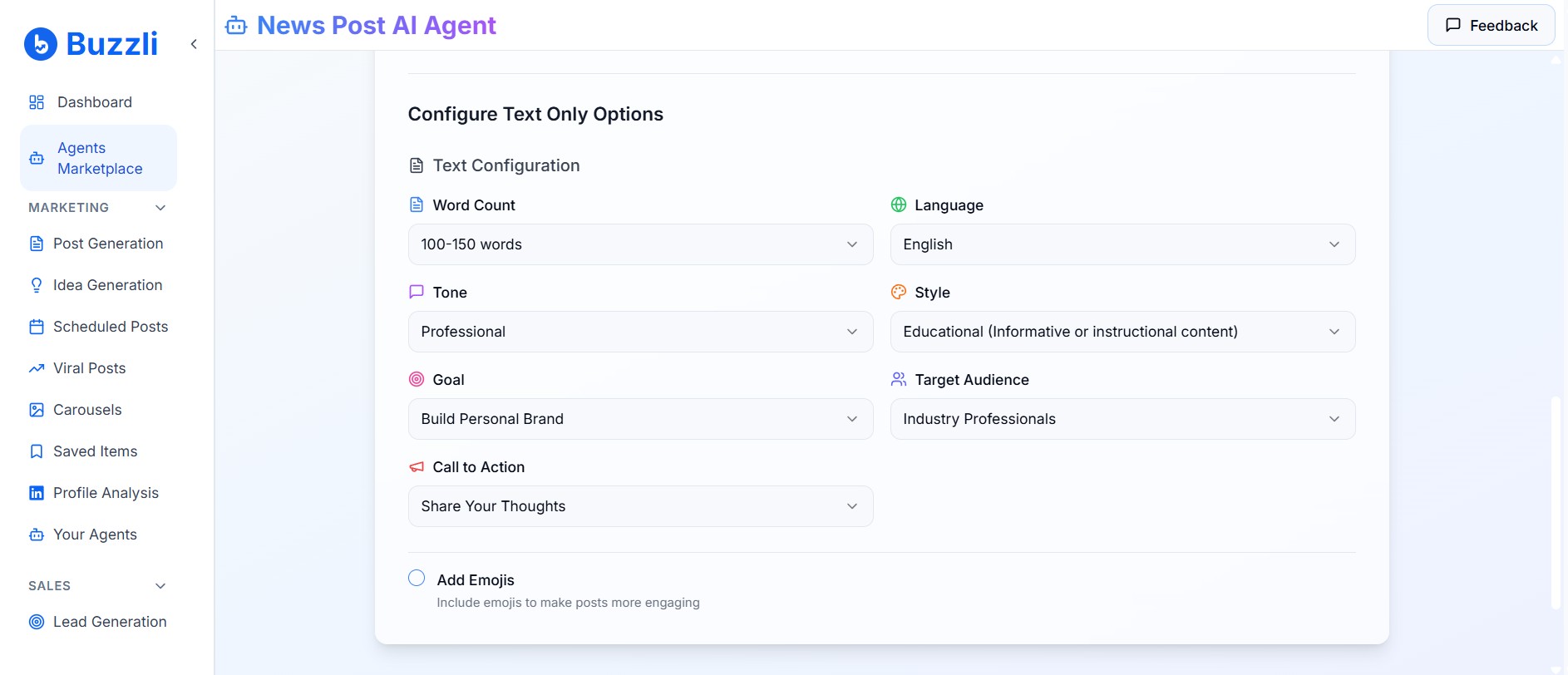
As soon as I select that, I get various parameters to customize my text post.
Step 6: Set Your Posting Schedule
Next comes the smart scheduling feature where you choose the day and time of the week on which the agent will automatically create and post content.
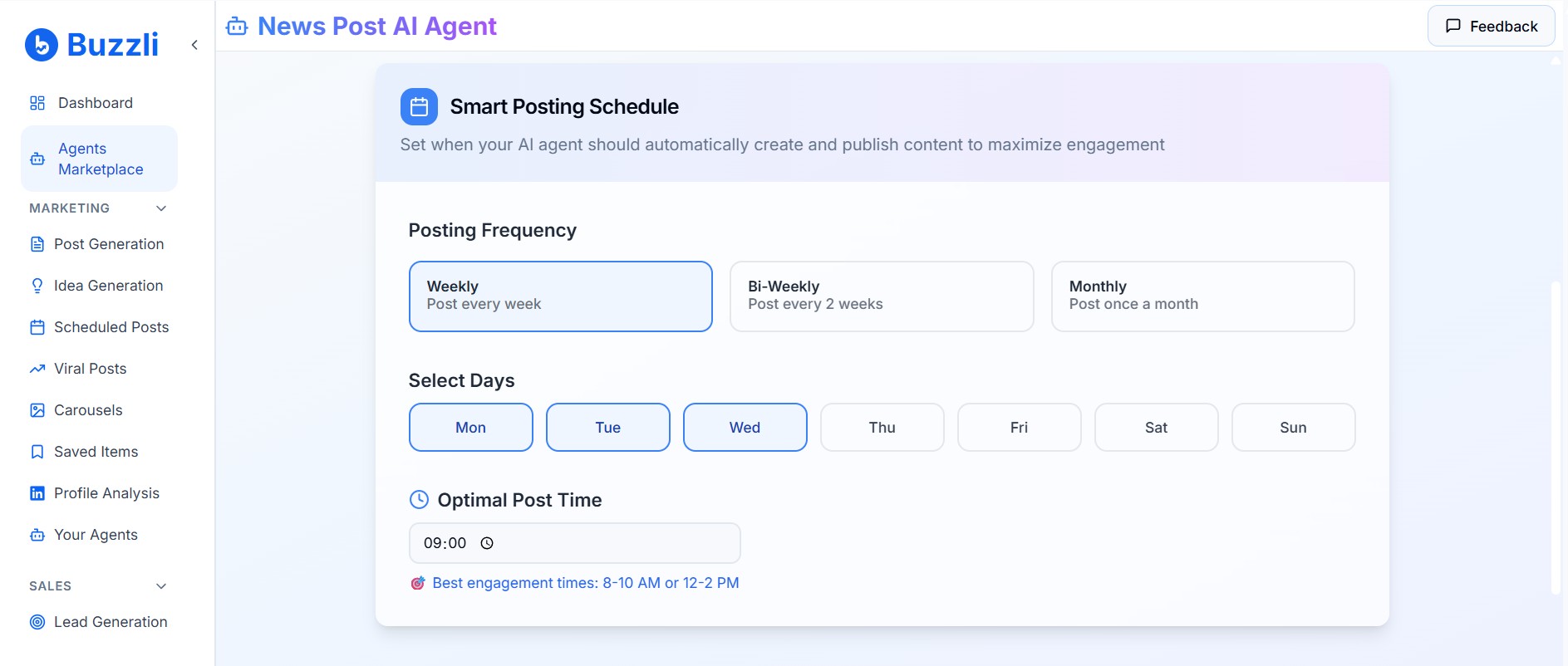
Once that is done, the final step is choosing the automation.
Step 7: Configure Automation Settings
In the final step, you can choose to receive email notifications whenever the agent is ready with the content and also decide whether to review manually or allow it to post directly to LinkedIn.
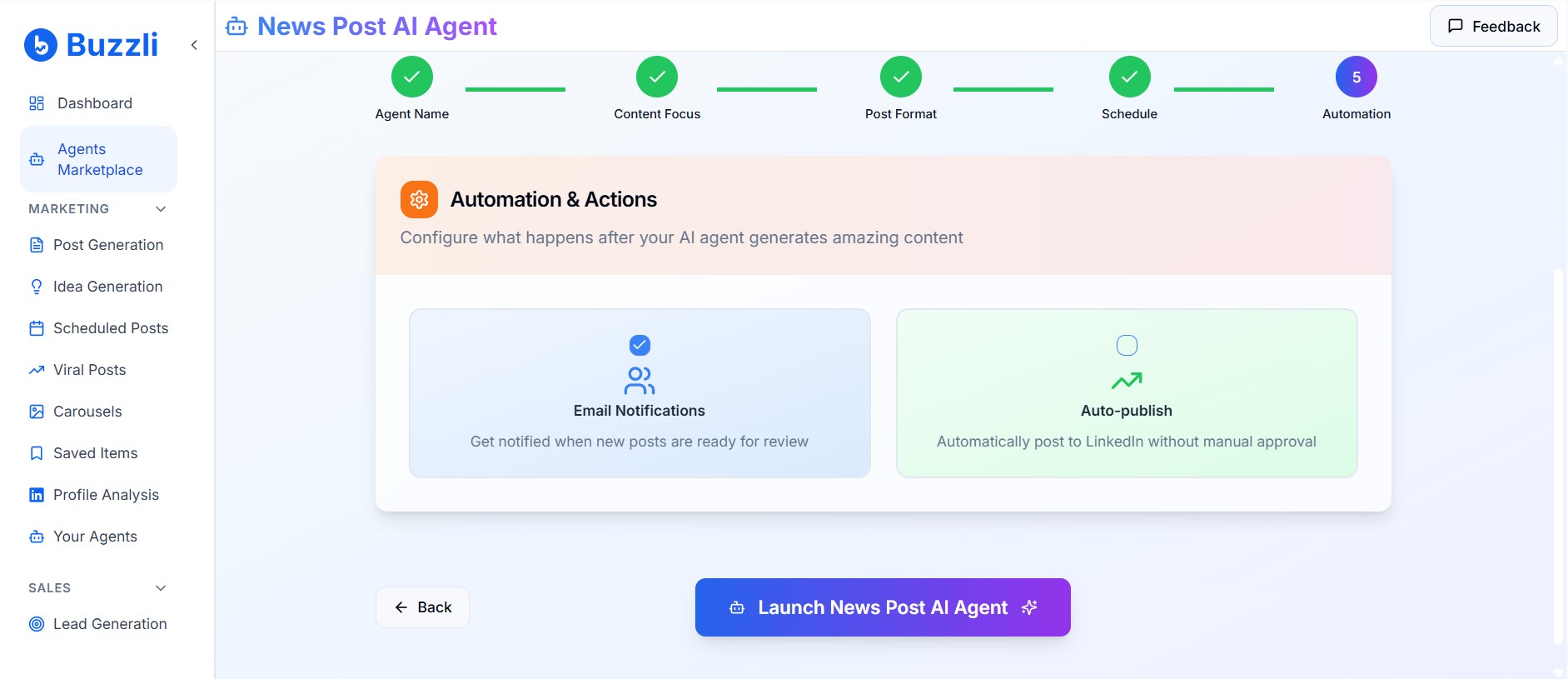
That's it! Finally, click on Launch News Post Agent to launch your first AI agent for LinkedIn.
Now, every time the News Post Agent runs and creates content, it will send an email notification that you can check to review the content.
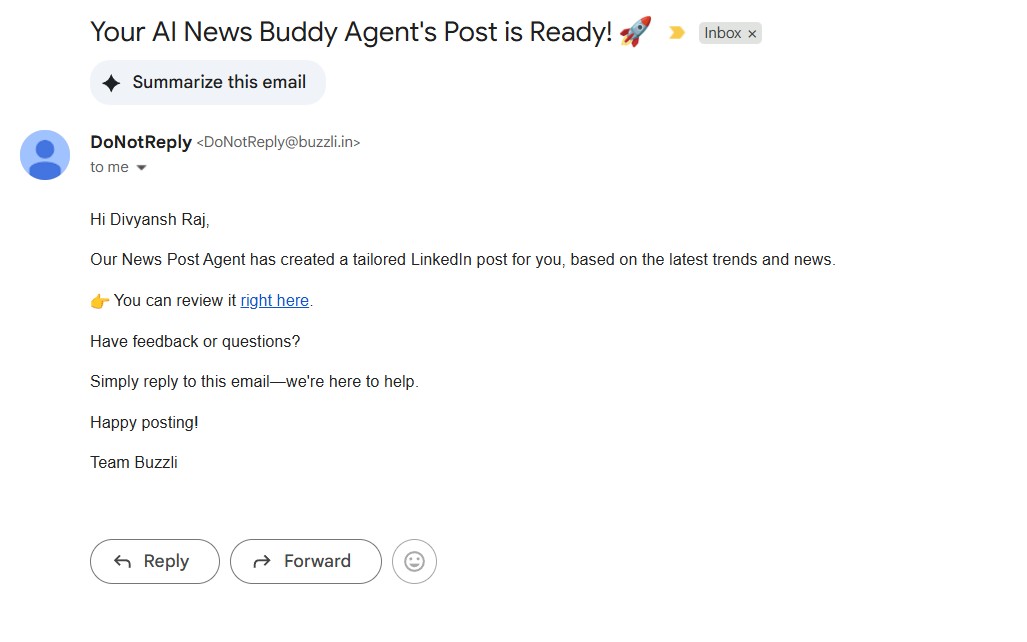
Note: You can test the content being created by the agent by clicking "Run Now."
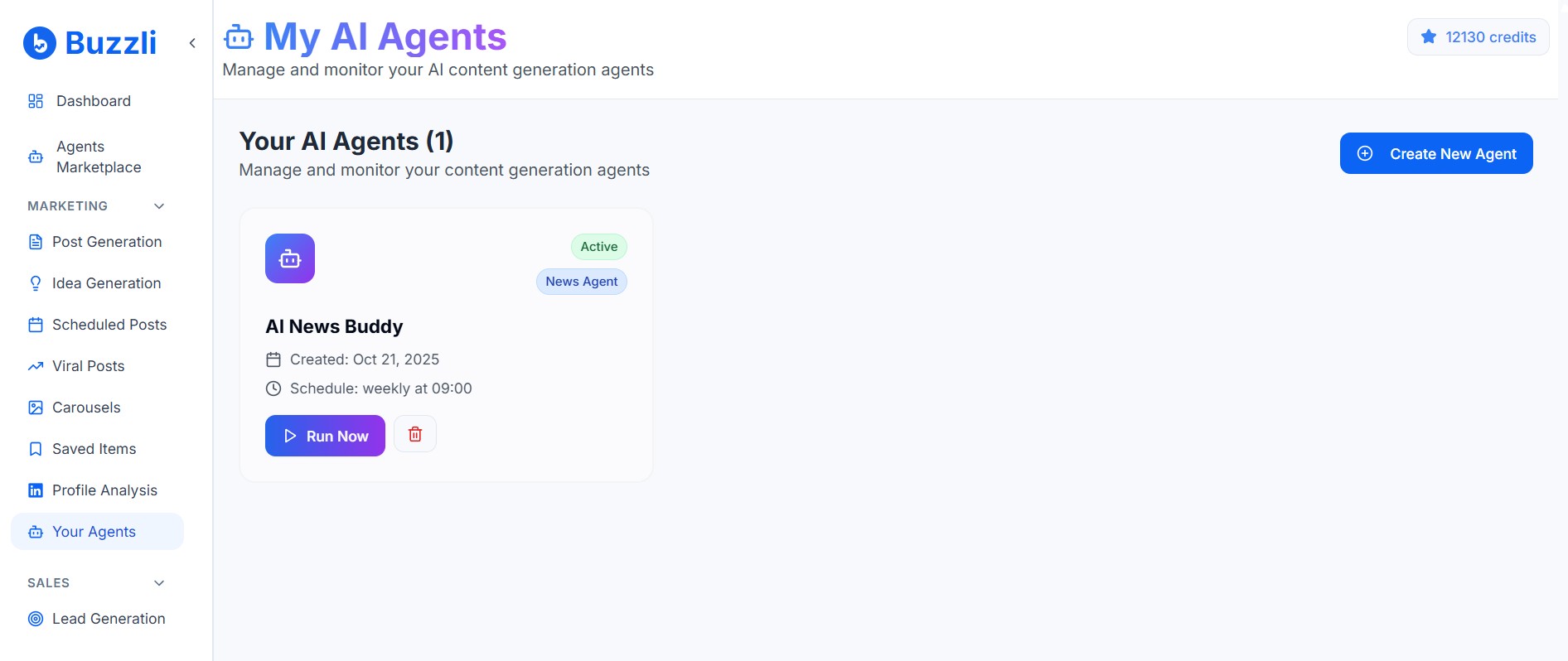
This will run the agent instantly, and the content will be ready in a few seconds.
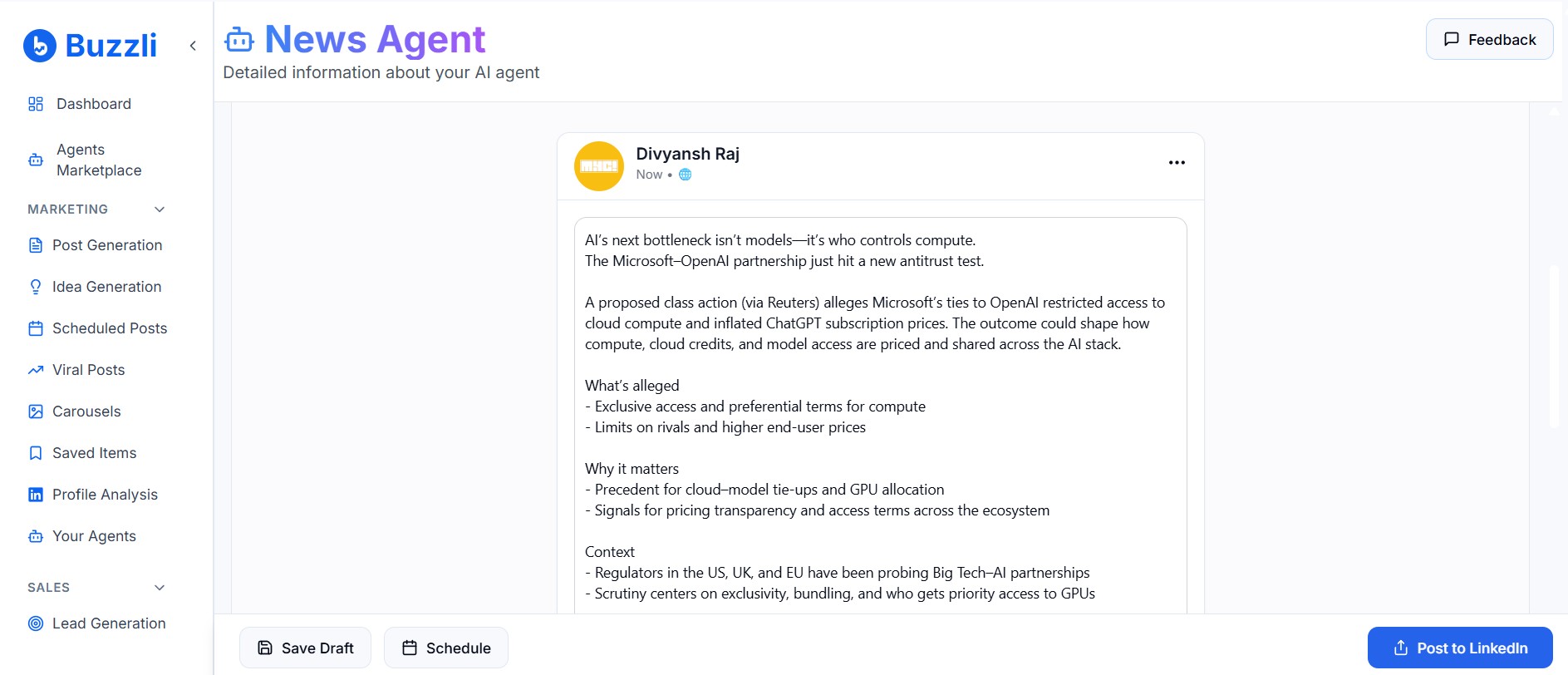
You can choose to edit the content, save it to draft, or post it directly to LinkedIn.
💡 Pro Tip: Start with 2–3 focused topics for better accuracy and consistency.
🎯 Why Should You Use the News Post Agent?
- Stay consistent on LinkedIn without manual effort
- Post highly relevant, news-based content that your audience cares about
- Build a stronger presence while saving valuable time
- Works for individuals and teams alike - scale your content strategy
💬 Common Questions (FAQ)
Q1. What is the Buzzli News Post Agent?
It's an AI tool that scans trending news and automatically generates LinkedIn posts for your chosen topics.
Q2. How do I set it up?
Go to Buzzli → Agents Marketplace → choose News Post Agent → add topics → set your schedule → review or auto-post.
Q3. Can it post directly on LinkedIn?
Yes. Once you connect your LinkedIn account, you can choose to auto-publish or review manually.
Q4. Who is it for?
Creators, solopreneurs, and marketing teams who want to stay consistent and relevant without spending hours drafting.
Q5. How much time can I save?
Users typically save 3-5 hours per week by automating research, content creation, and posting.
🧠 Key Takeaway
Buzzli's News Post Agent helps you:
- Automate your LinkedIn content pipeline
- Stay consistent and visible even during busy periods
- Turn trending news into high-performing posts effortlessly
🔍 In short: Build once. Post forever.
Simple and effective. Time for you to get started.